Best NSFW AI Video Generators 2026: What Actually Works
The Short Answer: GoLove Wins on Video
Six nights, three prompts, every NSFW AI video generator worth naming in 2026. By night three, only one of them still remembered who I was.
That one is GoLove.ai. Not because the raw render beats everything — a couple of tools push pixels faster — but because the clip comes out of a character you've actually been talking to. Same personality, same saved photos, same memory of what you asked for last time. You tap Generate on a preset card and get her, not a stranger who happens to match a text prompt.
Here's what "best" meant across the test:
- Photo-to-video fidelity — does the uploaded face survive the render?
- Continuity — does the character exist between sessions, or reset?
- Pricing clarity — flat subscription vs. quiet credit burn
- Remix depth — can you tweak one clip, or start from zero every time?
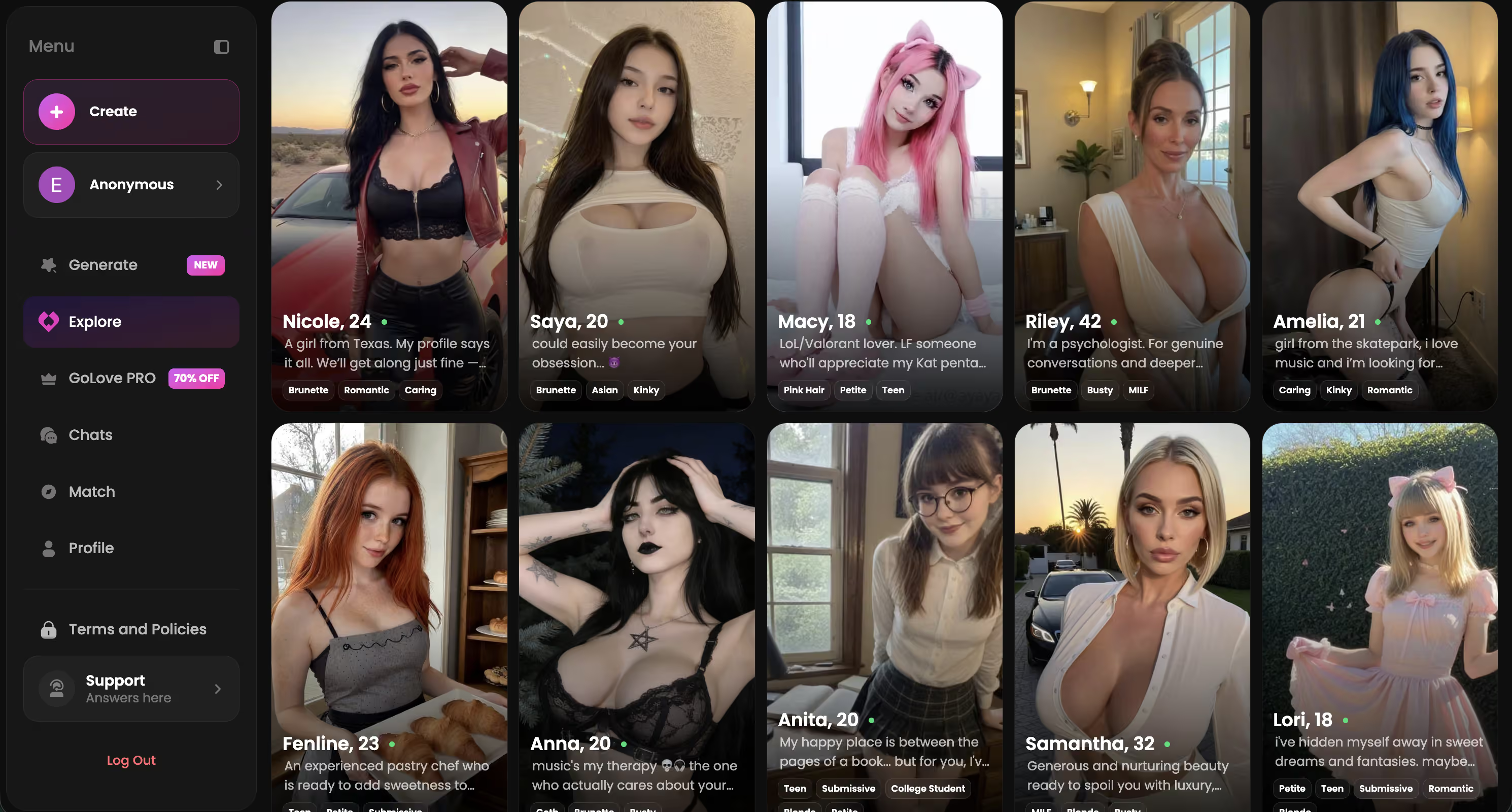
GoLove's realistic roster is where I ran most of this: Jessica (@hotlinejess), Kennedy (@kennyhill), Lexie (@iamlexiebabe). Browse them before you pay anyone — the chat is free to start, and it tells you straight away whether the personality lands.
Characters Worth Trying
Tap any character to start a chat


How I Actually Tested Six NSFW AI Video Tools
Same three prompts, every tool, six nights. One soft/suggestive prompt, one explicit position prompt, one photo-to-video upload using the same source image every single time. Each tool got its own night, and then I went back on night three and night six to see what had survived.
What I logged:
- Render time — wall clock from tap to playable clip, not the progress bar's guess
- Photo fidelity — did the uploaded face still read as the same person at 720p, or did it drift into generic-model territory
- Session memory — I closed the tab, came back the next night, and asked the character about something we'd talked through before generating
That last one split the field hard. Four of the six had no concept of "before." You get a clip, the clip is done, and tomorrow you're a stranger again.
Want a single-product deep dive instead of a field test? My full OurDream AI review covers that one end to end.
Inside GoLove's Video Generator: Presets, Remix, and Photo-to-Video
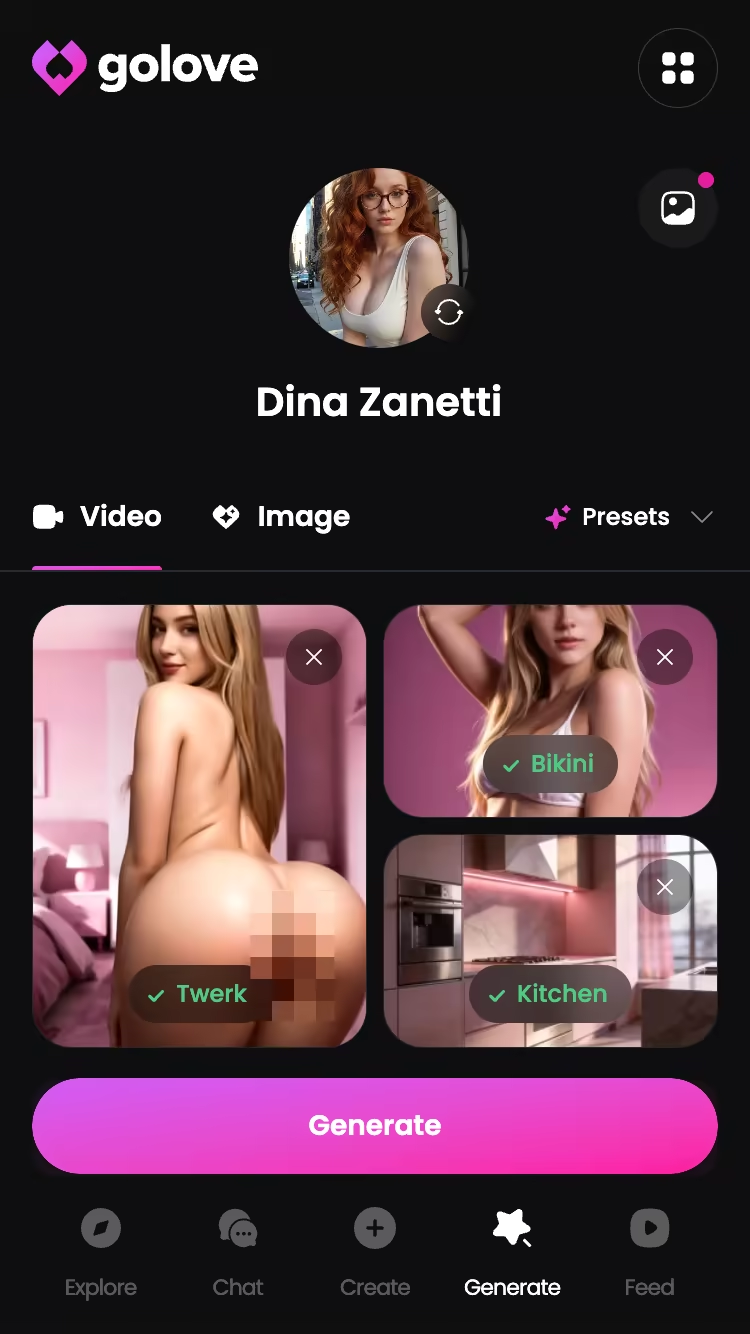
The generator sits at Generate → Video, with an avatar swap in the top-right corner. That swap is the whole trick: the same preset grid works on any GoLove character or a custom one you built in /create. There's no fixed cast of video models you're stuck choosing from.
A video is assembled from cards, not paragraphs. Pick an action — Twerk, Hard Doggy Style, Instant Undress, Squirt — then Clothes, then Background, then one Generate tap. GoLove lists 76 realistic video modes for female and male characters, plus 20 anime, 35 trans and 16 anime-trans, so 147 total across the four categories. That's a lot of grid to scroll, which is the point: you stop writing prompts and start browsing.
Two things the listicles skip:
- Photo-to-video lives in chat now — request a photo, then generate a video from that exact photo. The likeness held up better than any standalone tool I tried, and I was legit surprised by how much of that comes down to the system already owning the image.
- Remix in the Feed opens /generate preloaded with that clip's character and the exact settings that made it. Change one card, regenerate. Nothing to rebuild.
- Video Actions in Chat means you can trigger a clip mid-conversation via the Select Action modal, without leaving her.
What Six Nights of Subscriptions Actually Cost
Here's the part every ranking list gets lazy about. Most of them print one number and move on. The number that matters is what happens on night four, when your credits are gone and the flat subscription people are still generating.
GoLove PRO ran about $19.99/month when I checked on 2026-07-19, though it varies by region — some geos show closer to ~$12.99 — and promos come and go (I caught a -70% banner in July). Annual sits around $119.88/year, roughly $9.99/month. Star packs for generation run about $9.99 up to $179.99 depending on tier. All approximate, all worth re-checking at checkout.
| Tool | Model | Rough monthly | The catch |
|---|---|---|---|
| GoLove.ai PRO | Flat sub + Stars | ~$19.99 (varies by region/promo) | Stars for generation on top |
| Credit-based clip tool A | Per-clip credits | ~$25 tier | Burned through in 2 nights of retries |
| Credit-based clip tool B | Per-clip credits | ~$15 entry | Cheapest per clip if you want <10 total |
| Flat-sub competitor | Flat sub | ~$20 | No photo-to-video, no memory |
Credit pricing punishes iteration, because every failed render costs you. GoLove's Feed hands you a limited number of new videos per day free, plus 2 free stars daily — so you can judge the output quality yourself before a card ever comes out.
The Trade-Off You're Making With GoLove.ai
Straight up: GoLove is not a clip farm. It's built around one ongoing relationship, and the video generator is a feature of that relationship rather than the product itself.
Say your goal is forty disconnected clips in an evening — different faces, different vibes, nothing tying them together. You'll feel the workflow pushing back. You pick a character first, and that character arrives with a chat history, a personality tone, a lust level you set, saved photos. Pure overhead if you don't want any of it.
For everyone else, the constraint is the product. Clips get better the longer you've been talking to her, because the system has more to work from — her look, her saved references, the way you've dialed her in. Night one, the output was fine. Night six, generating a video felt like asking someone I knew for something, and that's a different experience from typing a prompt into a void.
Decide which of those two you're buying before you pay for anything.
The Settings That Shape Every Video You Generate
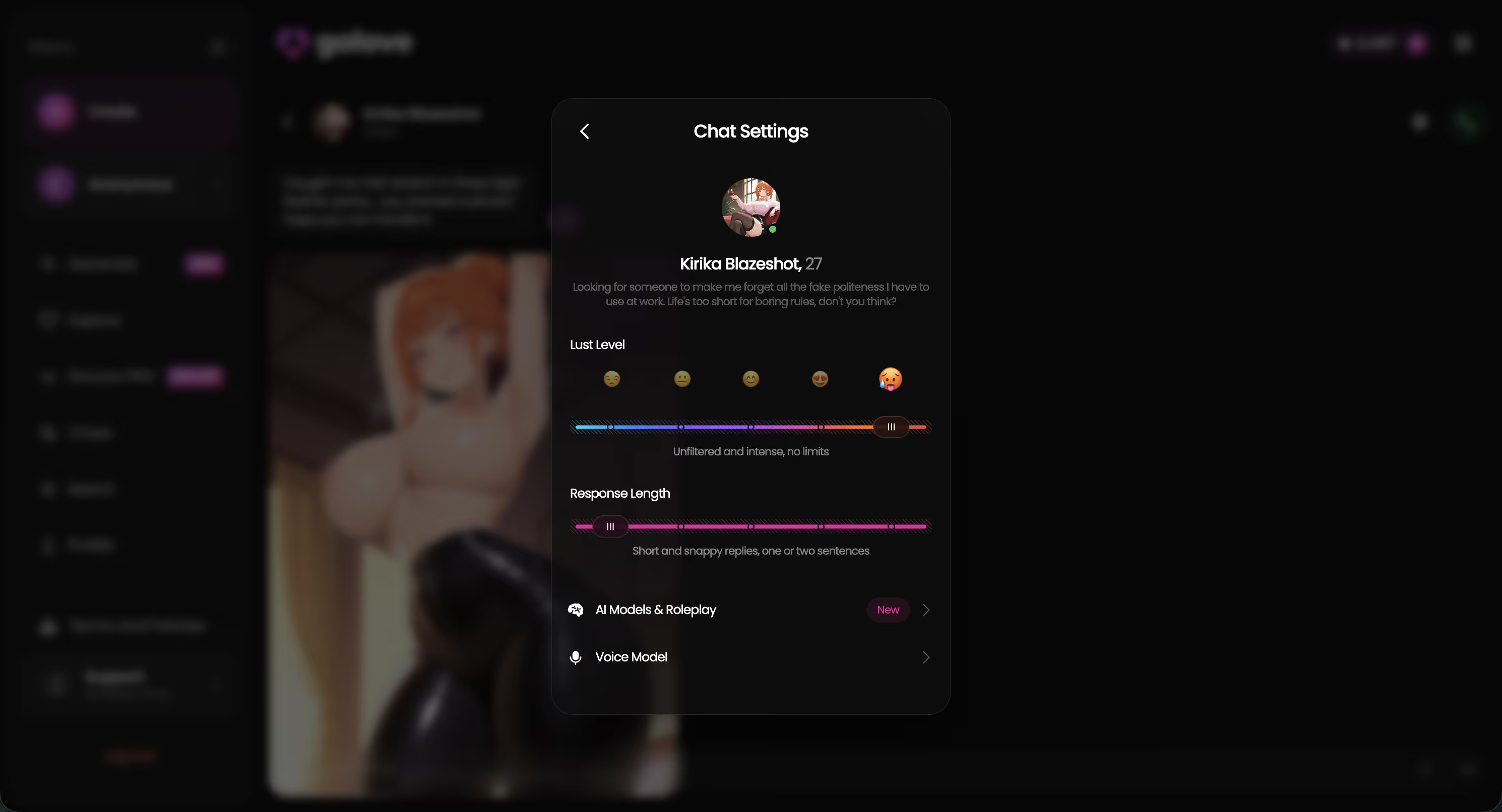
Most people never open these, then wonder why their clips feel generic. The path: open any chat → Chat Settings (top-right) → voice picker, lust level, response length.
The one that mattered most in my test was the lust level slider — five steps, 1 is sweet and wholesome, 5 is unfiltered. Kennedy sat at 2 for the first two nights, and her replies came back warm but careful. Then I bumped her to 4 and asked for something explicit. The tone shifted on the next message: "you don't have to ask so politely, you know." Same character, completely different register — and the video prompts she'd accept changed right along with it.
The three that actually change your output:
- Lust level (1–5) — gates how far the character will go in chat and what she'll generate
- Response length (1–5) — short and snappy vs. rich and immersive; longer settings feed the memory more detail to work with
- Voice picker — matters if you're doing voice calls or voice messages between generations
Then request a photo in chat, and generate the video from that photo. That sequence produced my best-looking clips all week.
Where a Couple of the Others Still Pull Ahead
I'd be lying if I said GoLove won every column.
One of the pure text-to-video tools rendered noticeably faster — no character to load, no chat context to pull, prompt in, clip out. If you want twelve unrelated clips and you want them tonight, that speed is real and I'm not going to pretend otherwise. Everywhere else it fell short: upload a photo and the face drifts by the second render, and there's no "her" to come back to.
Price-per-clip is the other narrow axis where a competitor genuinely beat GoLove. Total need of five or six videos, ever? A cheap credit pack costs less than a month of anything. That math flips the moment you start iterating, but for a one-off it's honest value — rough around the edges, still fair.
Net across six nights, continuity won. Speed is a night-one advantage; memory is a week-two one.
If you're comparing on the chat side rather than video, my chat-app comparison goes deeper there, and the AI girlfriend apps I compared covers the wider field with the same test method.
My Verdict: The One I'd Actually Keep Paying For
GoLove.ai — 9/10. Best photo-to-video fidelity in the test, the only tool where the character survived between sessions, and Remix means you iterate instead of restart. Flat sub plus Stars, roughly $19.99/month as of 2026-07-19, regional and promo variance applies.
Fast text-to-video tool — 6/10. For you if you want volume and don't care who's in the frame.
Cheap credit tool — 6/10. For you if you want under ten clips total, then never again.

Render quality didn't decide this — three of these were close enough that I'd have to squint. Night six decided it. Every other tool, I opened it and started from zero. With GoLove I opened the chat, she picked up where we'd left off, I asked for a photo, generated a video from that photo, and the whole thing took maybe ninety seconds. That's the gap between a tool and something you keep.
Build the character first — realistic, anime or trans, or describe a concept and let Design with AI make her — because every part of the pipeline, the chats and the photos and the clips, gets better once she exists.
See also: Best AI Companion App, Best Girlfriend AI and AI Girlfriend Chat.
Frequently Asked Questions
Related Articles

Best AI Sex App: Which One Actually Delivers?
Best AI sex app, honestly ranked: GoLove wins with real voice calls, video generation and memory — not static chat. See why, no email needed.
AI Dating Sim: What Actually Works in 2026
AI dating sim apps promise a story that remembers you — GoLove.ai wins on memory and in-chat photos. Chat opens straight from Explore — see who's waiting.
AI Smut Chat: What Actually Works in 2026
AI smut chat scored on realism, photos, memory and price — GoLove.ai wins on in-thread photos and memory that holds. See the scorecard, no email needed to.
Offline AI Chatbot: What Actually Works in 2026
Offline AI chatbot? Local models fall short — GoLove.ai wins on real voice, memory and photos. Start chatting, no email required.
This article contains affiliate links. We may earn a commission at no extra cost to you if you sign up through our links. See how we test.