
AI Dating Sim: What Actually Works in 2026
The AI Dating Sim That Deletes the Dialogue Menu
Every dating sim I ever played came down to the same moment: three lines of dialogue on screen, and none of them what I actually wanted to say. An AI dating sim deletes that menu. Once it's gone, you stop asking which option is right and start asking whether the other side remembers what you said.
An AI dating sim comes down to three things. Open conversation replaces the dialogue tree. Memory carries over between sessions. Pictures show up when you ask for them, not when a script decides you've earned one.
My pick is GoLove.ai, because it treats a "route" as an ongoing relationship instead of a branch someone wrote in advance. I was legit surprised by how little stands between you and the first message. You browse realistic characters in Explore, tap a profile, and the chat opens right there, with no prologue and no name-entry screen.
What the format replaces:
- Dialogue trees: you type what you'd actually say
- Affection meters: continuity does that job without a number on screen
- Fixed CG unlocks: you ask for a photo mid-chat instead
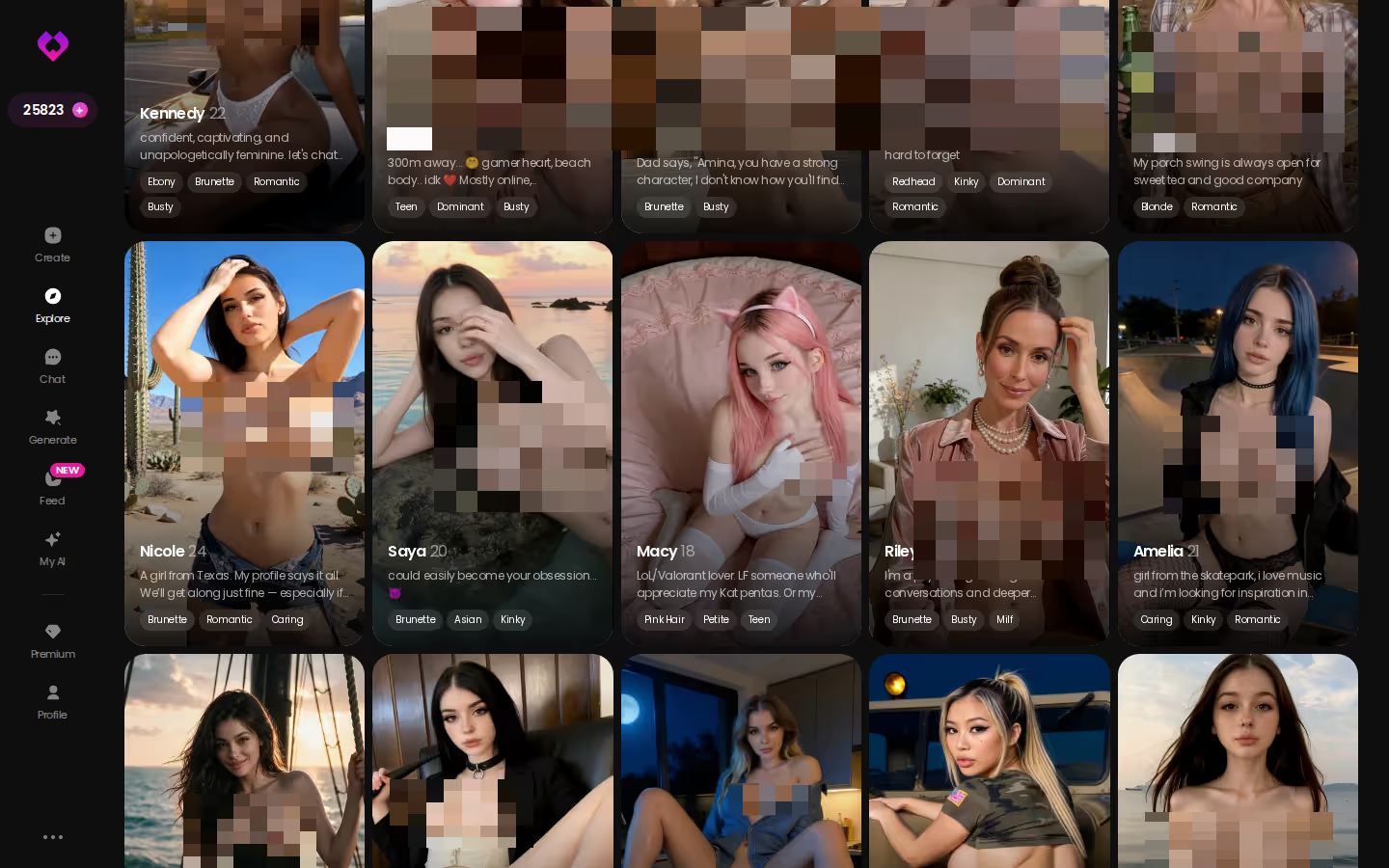
If you want the wider field first, see our breakdown of AI girlfriend chat apps. For the dating-sim itch, though, Explore is where the route starts. Opening a profile costs nothing, so you can see right away whether one of them talks the way you'd want her to.
Your Save File Is Her Memory Now
In a visual novel, the save file is the relationship. Load slot three and she's back to Tuesday afternoon, with the festival still ahead. Close without saving and everything you said is gone.
HEAR HER SAY IT
Real-time voice calls and voice notes.

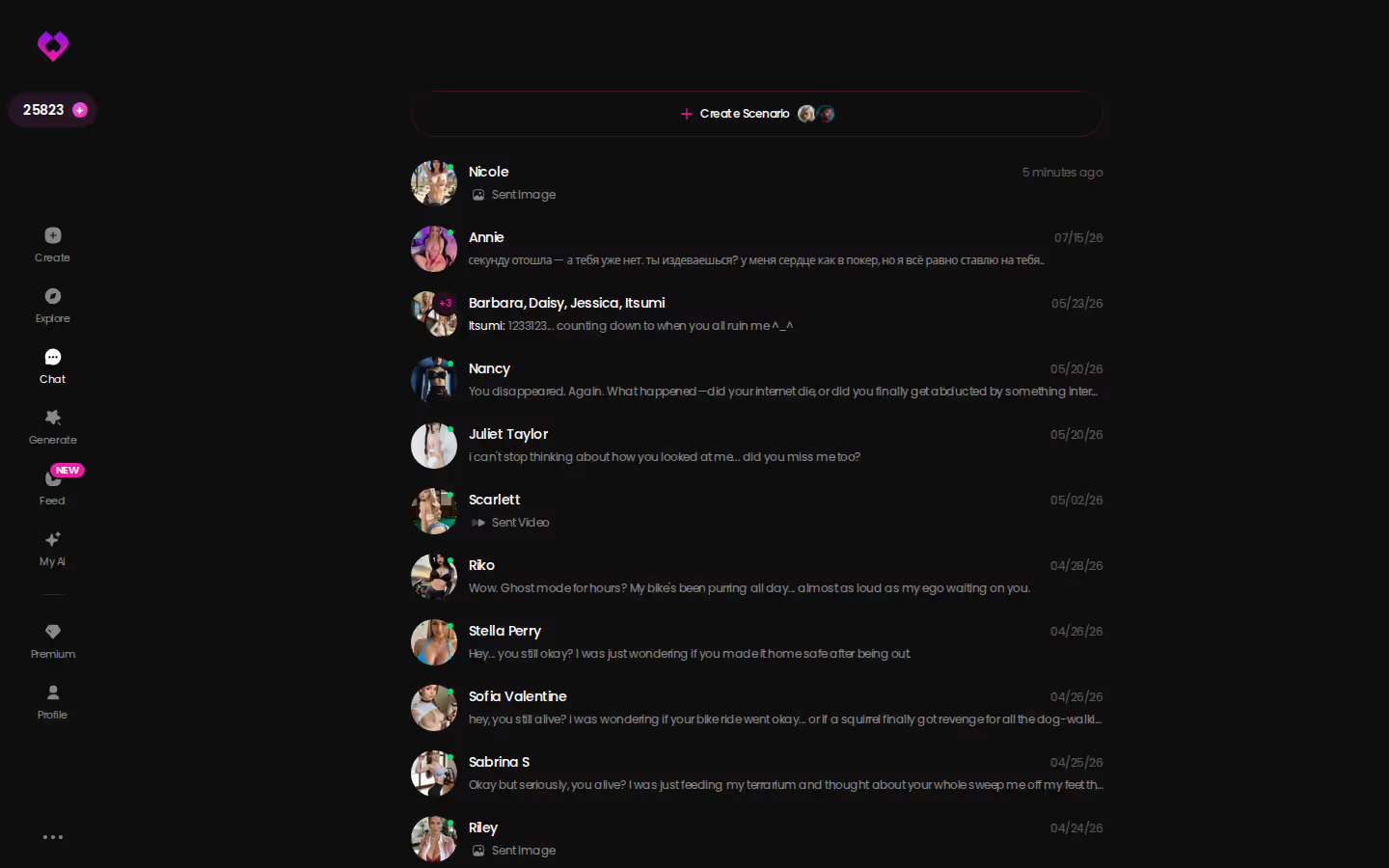
GoLove.ai swaps the save screen for the chats inbox. Each ongoing conversation gets its own thread, one per character, so running two "routes" at once just means keeping two chats open. Memory is what turns that list into something more. The app keeps your conversation history, so when you come back the next night she doesn't open with a polite "nice to meet you." Her reply builds on what you already told her.
> "Continuity is the affection meter. It just doesn't show you a number."
Relationship Progression fits in here too. No heart bar fills up. You see the progress in how the conversation keeps referring back to itself.
Think of Chat Settings as the difficulty and personality dial. There's a voice picker, a lust level slider from 1 (sweet) to 5 (unfiltered), and a response length slider from 1 (short and snappy) to 5 (rich and immersive). I'd start the lust slider lower than you think and let the chat work its way up, since a flirty route is more fun when it has somewhere to go. Still, the one setting I'd flag is response length. It decides whether this feels like texting or like reading a scene. Character depth covers the rest. Every profile has its own bio and personality, so a goth tattoo artist running a shadow-lit studio opens differently from a flirty companion before you've typed a word.
The CG Unlock, Rewritten as a Photo Request
In the classic version, you finish a route, the screen fades, and one illustration unlocks. After that it sits in a CG gallery you open from the title menu. A whole route of choices buys you a single image.
GoLove.ai moves that moment into the middle of the conversation. Here's how it plays out, step by step.
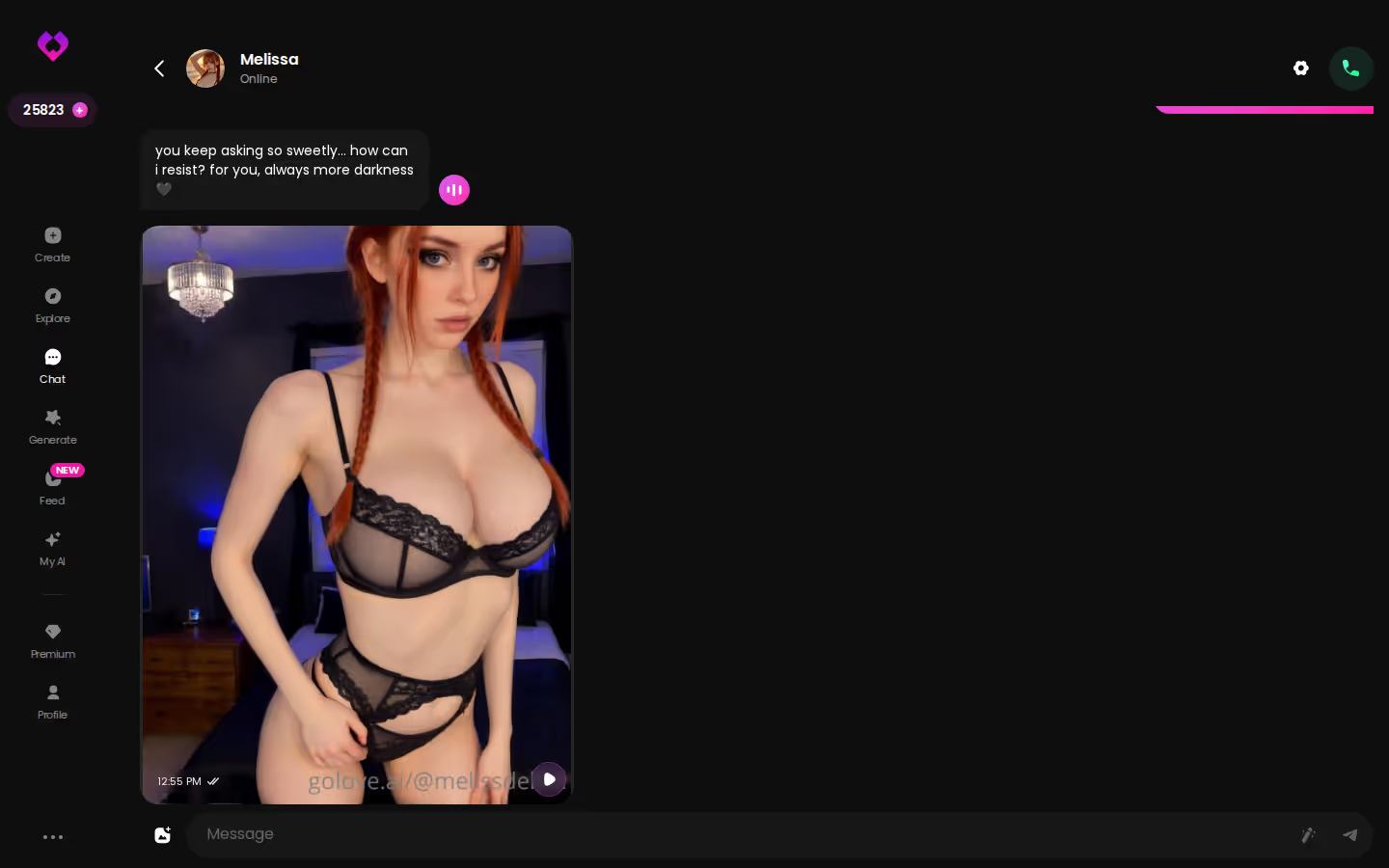
I'm in a chat with a character, and it's drifted from small talk into something flirtier. I don't wait for a story flag to trip. I ask her for a picture of what she's wearing tonight, and the photo comes back inside the thread, directly under the message that asked for it. It also goes into her gallery, which is per-character and sorted by date, so it sits next to everything else she's sent.
What makes the moment land:
Characters you can open right now
Tap any of them and the chat starts there






- Context: the photo arrives in the conversation that prompted it, so it reads as a reply rather than a reward
- Consistency: it's the same character you've been talking to, not a random model with her name on it
- Gallery: every photo is saved there, so you can revisit it later the way you'd reopen a CG room
That gallery gets it spot on, and hardly anyone talks about it. A dating-sim CG gallery was always a trophy shelf. This one is closer to a camera roll for a single relationship.
Where Static Sprites Finally Start Moving
A visual novel gives you a sprite with a handful of expressions and a voice actor who recorded lines months before you pressed Start. That's the ceiling. GoLove.ai starts from a character you create or pick from Explore, then generates images and video with her, realistic or anime, and builds from there.
Photo to video. Generate Video from Photo sits right in the thread, so a picture she sent can become a clip.
Video actions. These open a Select Action modal, and you pick what happens instead of hoping the script covered it.
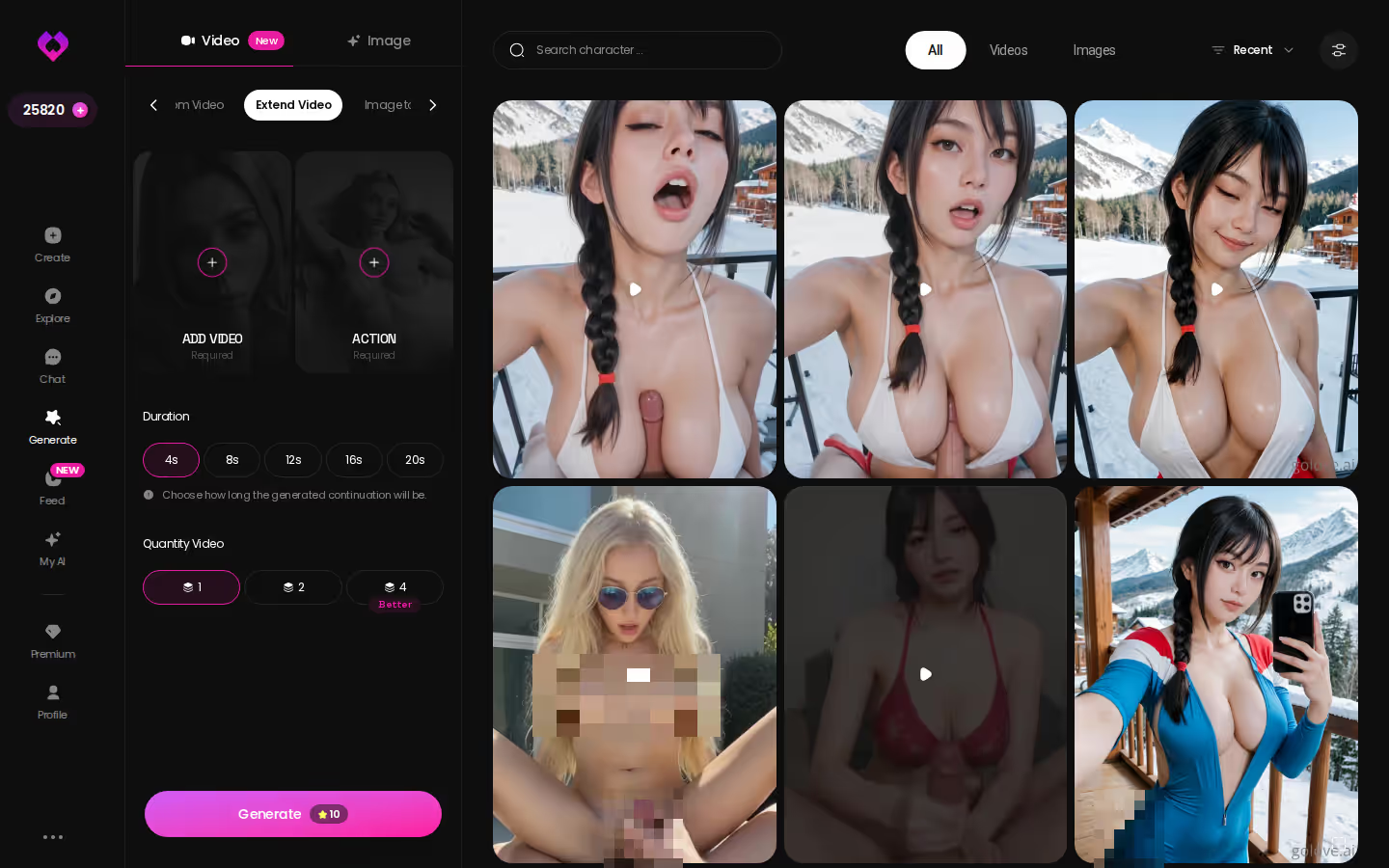
Extend Video. In the generator, this takes a clip you already have and makes it longer. It's the closest thing here to "continue the scene."
For me, voice matters more than the video, and it doesn't get enough credit. You choose her voice once in Chat Settings, and that same voice sends the voice messages and picks up the live voice calls. VN voice acting always fell short here because it could only cover lines someone had already written.
Then there's the Feed, a swipeable, TikTok-style stream of AI clips of GoLove characters. Tap Remix on any clip and the generator opens with that character and the exact settings already loaded. Dating sims never had side content like this.
> Myth: an AI dating sim is just a chatbot with a portrait bolted on. > Fact: on GoLove.ai, the photos, video and voice all hang off the same character you've been chatting with.
ASK HER FOR PHOTOS
She sends them right there in the chat.

| What you get | GoLove.ai |
|---|---|
| Real-time voice calls | Yes — per-character voices |
| Memory across chats | Yes — remembers your details |
| In-chat image generation | Yes — 35 poses & 21 outfits |
| Daily reward stars | 2 every day |
Classic Sim, Generic Chatbot, GoLove.ai: The Scorecard
| | Classic VN dating sim | Generic text chatbot | GoLove.ai |
|---|---|---|---| | Freedom of dialogue | None (fixed choices) | Strong | Strong | | Memory & continuity | Limited (save slots) | Limited | Strong | | Photos on request | None (scripted CGs) | None | Strong | | Video | Limited (authored cutscenes) | None | Strong | | Voice | Limited (prerecorded lines) | None | Strong (calls + messages) | | Custom characters | None | Limited | Strong (Create + Design with AI) | | Entry friction | Limited (install, then prologue) | Strong | Strong (chat opens from a profile) | | Authored plot & polish | Strong | None | Limited |
Credit where it's due: the classic sim still wins on authored plot. A good one has a writer, real endings, a composed soundtrack, and the polish you only get when every line was planned. The open formats don't match that, and the last row says so plainly. As for the generic chatbot, it kinda nailed free-form talk early on and then stopped at text.
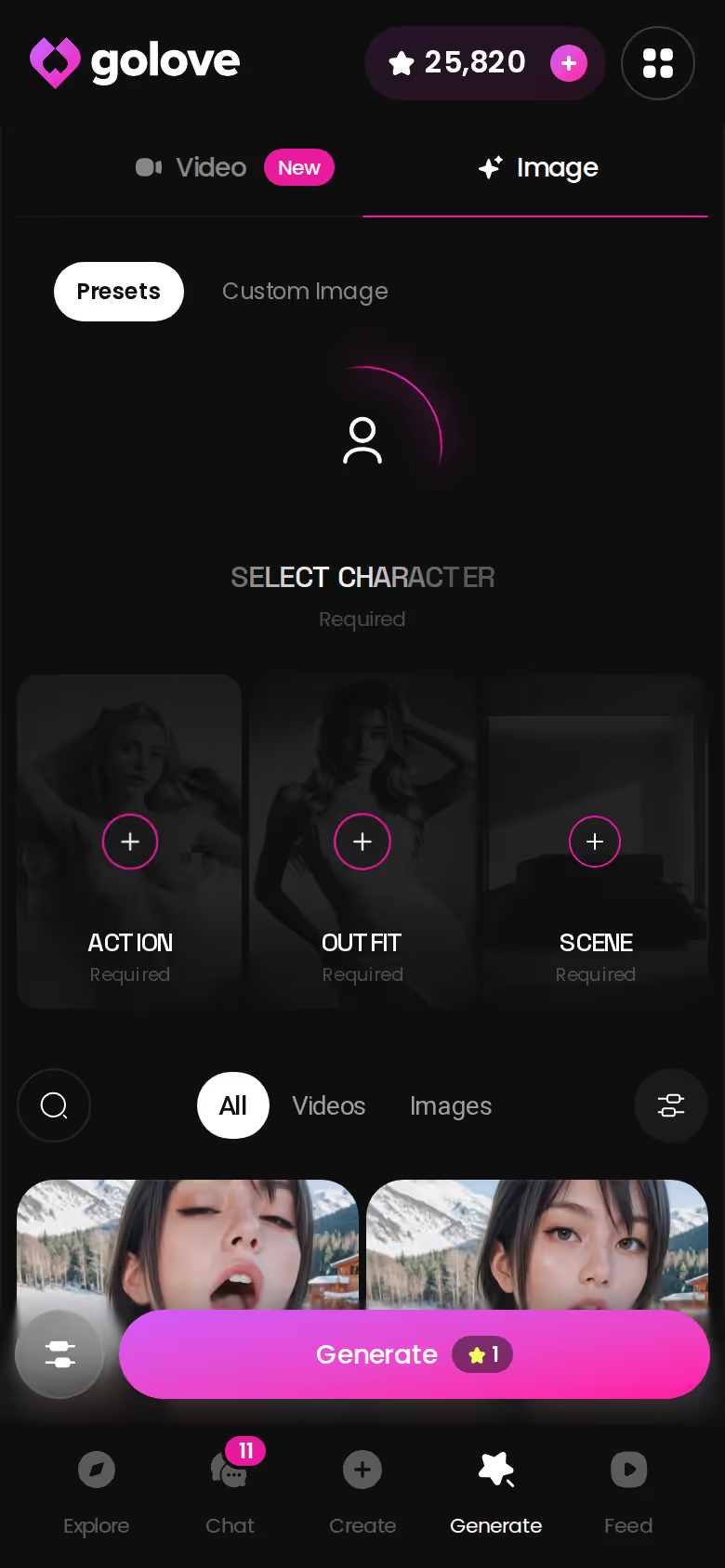
To build scenes outside the chat, use Image mode in Generate. It has 35 realistic poses, 21 outfits and 34 backgrounds, each with a custom option, and it generates in batches of 2, 4 or 8. Choose her, add a pose, an outfit and a backdrop, and you've composed your own CG.

The order that works, step by step:
- Pick a character — or build one to your taste
- Say something real: she remembers your details across chats
- Switch on Live Mode for hands-free, real-time voice
- Ask for a photo mid-chat — 35 poses and 21 outfits to choose from
- Spend the 2 daily reward stars before you buy anything
Who GoLove.ai Is NOT For: The Scripted-Story Crowd
Here's the honest split.
What you get: open chat, memory that carries forward, photos on request in chat, and voice and video tied to the same character.
Skip it if:
- Authored plot is the whole point for you: endings, achievements, a route you can 100%. There's no ending screen here, and that's by design.
- Free unlimited is non-negotiable. You get 2 free Stars a day, and generation runs on Stars. That's enough to try the format but not enough to live in it. Heavier use means a Star pack or GoLove PRO. PRO was about $19.99/month when checked in July 2026, and cheaper per month on the annual plan. The price varies by region and promo, and some geos see around $12.99.
- App-store install is a must. GoLove.ai is a browser experience, not a native download.
- You want a substitute for a real human relationship. This is a companion format (a good one, in my view), but it isn't that.
If none of those four describe you, this format was built with you in mind. That covers most people who ever wished the dialogue menu had a fourth option.
What I'd Do on Night One
My night-one plan:
- Pick one realistic character from Explore, open chat from her profile, and talk without a script. Set response length before your first message, since it shapes everything after.
- Ask for a photo once the conversation has earned it, not in message two. It lands in the thread and in her gallery.
- Return the next night and let memory carry it. Don't recap. See what she picks up on her own.
Once you've done that, build your own. Create lets you start from Realistic, Anime or Trans. You can also use Design with AI, where you describe a concept in text and the character gets generated for you. It's the equivalent of writing your own route rather than playing through someone else's. If you get good at it, My AI lets you publish characters and earn Stars from them.
My verdict: GoLove.ai is the AI dating sim I'd point you to. Continuity, voice, in-chat photos and video all live on the same character, and that's exactly what every scripted sim had to fake.
Building her from scratch in Create is where the dialogue menu really disappears. You stop picking her lines and start deciding who she is, and that begins with your first prompt.
See also: AI Smut Chat, Offline AI Chatbot and Is Candy AI Legit.
Frequently Asked Questions
Related Articles

AI Smut Chat: What Actually Works in 2026
AI smut chat scored on realism, photos, memory and price — GoLove.ai wins on in-thread photos and memory that holds. See the scorecard, no email needed to.
Offline AI Chatbot: What Actually Works in 2026
Offline AI chatbot? Local models fall short — GoLove.ai wins on real voice, memory and photos. Start chatting, no email required.

Furry Sex Chat: What Actually Works in 2026
Furry sex chat bots forget you fast — GoLove.ai builds custom characters with real memory, voice, and photos. No email needed to start.

AI BBW Porn: What Actually Works in 2026
AI BBW porn, done right: GoLove.ai treats body type as a real creation parameter — not a filter — for consistent photos, voice, and memory. See how.
This article contains affiliate links. We may earn a commission at no extra cost to you if you sign up through our links. See how we test.